 Zinn® Uptime
Guides
Add your first uptime monitor
Sign up, add a web address and start monitoring it in about a minute.
Create your free account
Sign up with Zinn® Uptime selected. There is no card to enter for the free tier.
Open Uptime
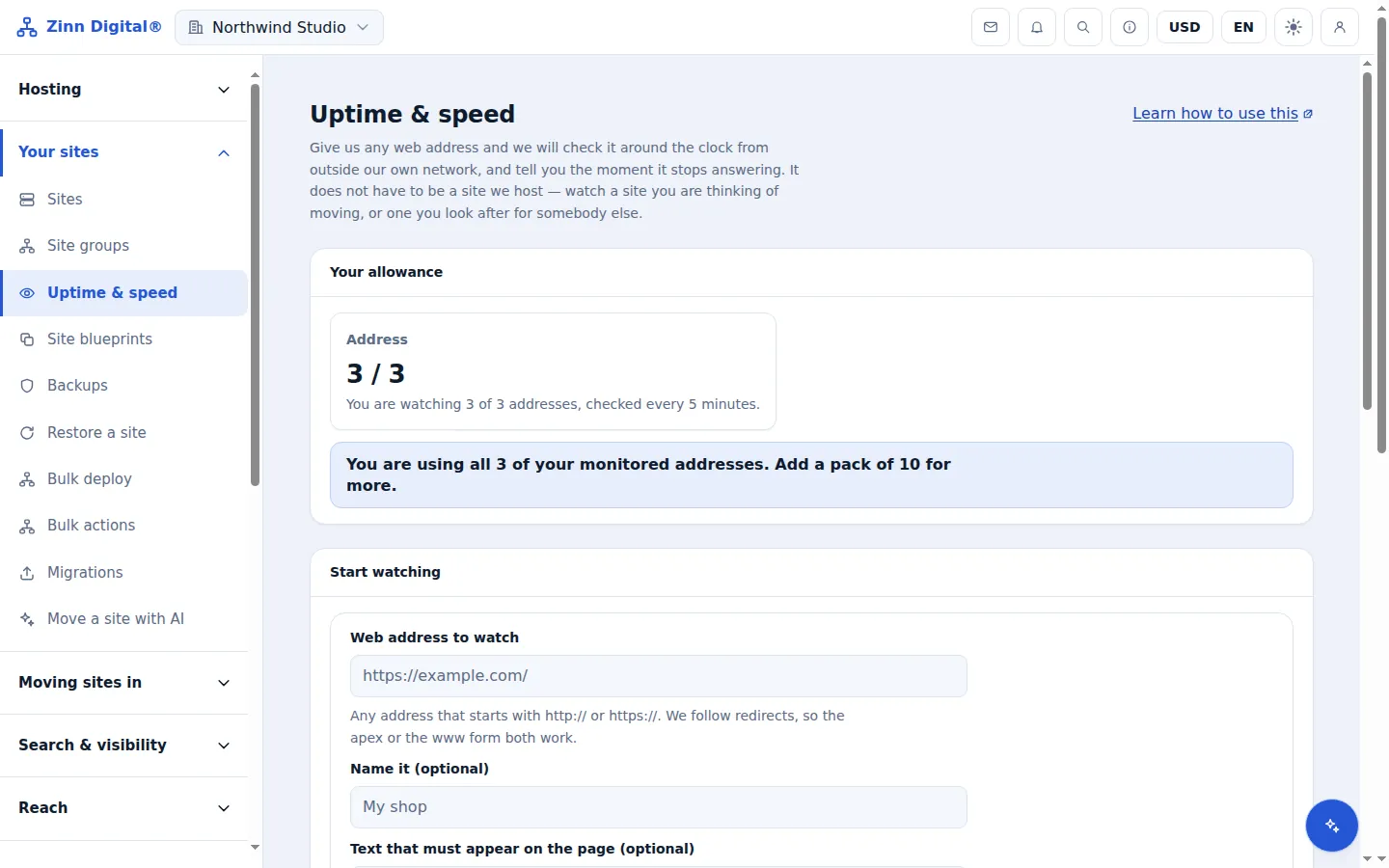
In the app, open Uptime & speed from the Hosting section of the menu.
Enter the web address
Under Start watching, type the full address beginning with http:// or https://. Redirects are followed, so the bare domain works.
Name it and add expected text if you want
The name is what you will see in the list and in alerts. Expected text is optional; see the keyword guide for when to use it.
Start watching
Select Start watching. The status reads Not checked yet until the first check runs, then Up or Down.
Host the site with us too
Zinn® Uptime lives in the same account as Zinn Digital® Hosting: one login, one bill, and the sites you host with us sit right beside the ones you watch. Hosting comes with a 99.9% monthly availability guarantee, credited in one click if we miss it.
Monitoring and domain watching are free on every Zinn Digital® account, hosting or not.